Premises Security

See Everything. Detect What Matters. Respond Before It Escalates.

Premises security is two systems working as one; intelligent CCTV that sees and records, and a burglar alarm that detects and responds. Each is powerful alone. Together, they close the gaps neither can fill on its own.

Engineered for Singapore Properties Since 2006

Police Licensed | | Sites Protected

In Short

Premises security combines two distinct systems: CCTV and burglar alarms. CCTV helps you see, verify, and investigate. A burglar alarm helps you detect, deter, and trigger a response. Most properties benefit from both, because each solves a problem the other cannot. A camera cannot sound a siren or contact a monitoring centre. An alarm cannot see what triggered it or identify whether the event is real. When both systems are connected on the same IP platform, an alarm trigger automatically retrieves the camera footage from that zone and pushes it to your phone alongside the alert; so you can verify and decide in seconds, not minutes.

Two Systems. One Purpose.

Premises Security Is Not One Thing: It Is Two

Most clients arrive thinking of CCTV and alarms as separate buying decisions. They are separate systems, but they address a shared goal from different angles. Understanding what each does, and what each cannot do, is how you specify the right combination for your property.

Video Surveillance & AI Detection

Cameras monitor your property continuously, providing live visibility, recorded evidence, and AI analytics that identify unusual activity; loitering at an entrance, someone crossing a boundary after hours, unusually large gatherings, and alert your team before a situation escalates. A guard cannot watch every camera continuously. The system does it instead.

Burglar Alarm & Intrusion Detection

Sensors on doors, windows, and motion zones detect intrusion and trigger an immediate external response; siren, lights, app alert, and monitoring centre notification. Alarms are your property's voice when something goes wrong.

Integrated on One IP Platform

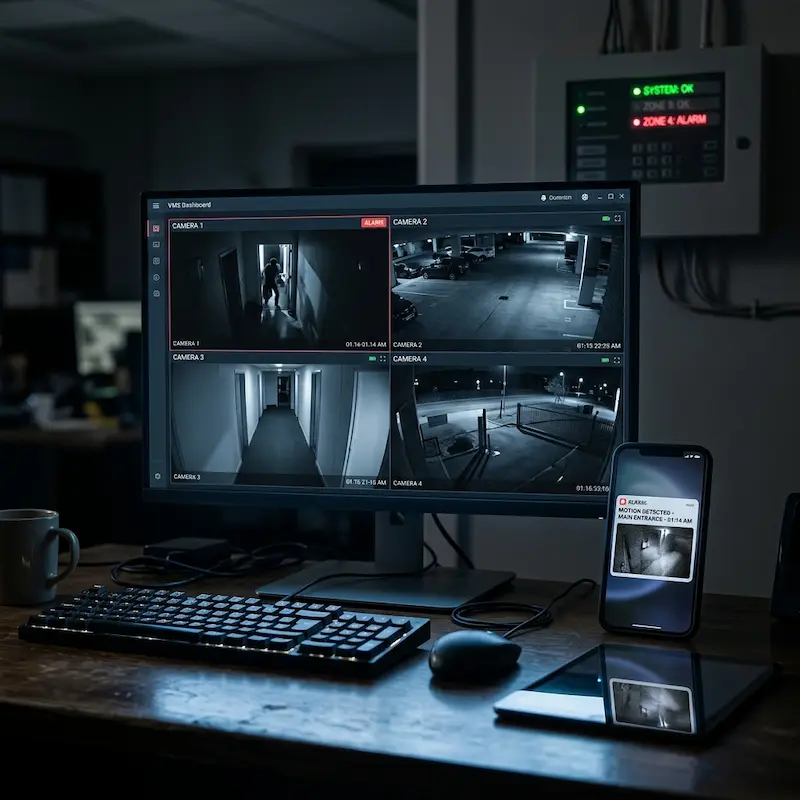
When both systems are IP-connected, an alarm trigger automatically pulls up the relevant camera on the guard's screen and pushes pre-alarm and post-alarm footage to your phone; so you can verify and decide without rushing back to site.

System 1 of 2: Video Surveillance

From Passive Recording to Active Detection

The biggest vulnerability in traditional CCTV is the assumption that someone is watching. Most cameras are never actively monitored. AI analytics change that; detecting events that deserve attention and flagging them, without requiring someone to watch the screen continuously.

Traditional CCTV

  • Records footage but requires a guard to watch screens continuously
  • No detection; only captures what happened, not what is happening
  • Footage is only useful after an incident, not before
  • Camera alerts are internal only; a beep or on-screen message
  • Cannot arm or disarm; cameras record 24 hours regardless
  • Cannot trigger an external siren, lights, or contact CAMS

Intelligent AI Surveillance

  • Detects specific behaviours; loitering, line crossing, object removal, crowd density
  • Push notification to app and guard screen when a trigger occurs
  • Pre and post-event footage clipped and linked automatically
  • Night visibility; colour-at-night, thermal, and low-light imaging
  • Facial recognition, LPR integration, and smart search for fast evidence retrieval
  • Live view from anywhere; app, browser, or guard workstation

Important Distinction

A camera that detects motion or a behaviour event can display "ALARM" on the monitor and send a notification through the VMS. It cannot sound an external siren, turn on flood lights, or contact the police or CAMS. That boundary is fixed; it is the alarm system's role, not the camera's. Understanding this is why the integration between the two systems matters.

System 2 of 2: Burglar Alarm & Intrusion Detection

The System That Responds: Not Just Records

Alarm technology has not fundamentally changed in decades; sensors on doors, windows, and motion zones have been reliable for years. What has changed completely is how the alarm communicates, who it reaches, and what it can now show you when it triggers.

Old Model: PSTN Dial-Up Alarm

  • Alarm triggers → dials up to 2 pre-programmed numbers sequentially
  • If the first number does not answer, it tries the second, with a delay
  • Phone call only; no visual, no way to verify what actually happened
  • Must rush back to site or call a monitoring centre to investigate
  • False alarm with no visual; unnecessary callout, wasted time
  • Managing users means reprogramming the panel on-site

New Model: IP & App-Connected Alarm

  • Alarm triggers → simultaneous push notification to multiple authorised app users
  • Pre-alarm and post-alarm CCTV footage pushed directly to your phone
  • Verify visually in 30 seconds; real intrusion or false alarm, from anywhere
  • Arm and disarm remotely; no need to be physically at the panel
  • Add or remove users in the app; owner, spouse, security contractor, trusted contacts
  • Full audit log, who armed, disarmed, and when, accessible from the app

What Only the Alarm Can Do

A burglar alarm is the only system that can sound an external siren, trigger flood lighting, and contact a licensed Central Alarm Monitoring Station (CAMS) or the police through an authorised channel. A camera; however intelligent; cannot do any of these. This is why properties that require a physical deterrent and an external response capability need an alarm system, regardless of how sophisticated their CCTV is.

Alarm Brands We Specify

Four Platforms. Different Strengths.

We carry four alarm brands; each suited to a different installation type. The right choice depends on the size of the site, the complexity of the zones, and whether you need deep integration with third-party systems.

Operational Reality

How Both Systems Work in Real Life

These scenarios show each system doing what it does best, and what happens when both work together.

Suspicious Loitering: CCTV

The AI camera detects a person loitering at the condo entrance for more than 3 minutes after midnight. The guard's screen automatically pops up the relevant camera feed and a silent alert is sent to the duty manager's phone; before any physical breach occurs.

After-Hours Break-In Attempt: Alarm + CCTV

A PIR sensor in a warehouse zone triggers at 2am. The alarm immediately sounds the external siren and sends an app alert with a 10-second pre-alarm footage clip. The owner reviews the clip from home, confirms movement, and calls the monitoring centre; all within 90 seconds, without leaving the house.

False Alarm Verification: Alarm + App

The alarm triggers in an unoccupied landed home. The owner receives an app alert and immediately reviews the CCTV footage pushed alongside it; a cat has entered through an open window. The owner disarms remotely from the app. No callout, no disruption, no cost.

Retail Crowd Analytics: CCTV AI

During a busy weekend promotion, the AI camera tracks crowd density in real time. When a queue forms at the service counter beyond acceptable density, the system alerts the floor manager, who redistributes staff before the situation affects the customer experience.

The Key Insight

What Each System Can, and Cannot: Do

This is the question most clients have but rarely ask directly. Understanding the functional boundary between cameras and alarms is what determines whether you need one, the other, or both.

What Video Surveillance Does

  • Continuous visual monitoring; sees what is happening
  • AI behaviour detection; loitering, line crossing, crowds
  • Night visibility; colour-at-night, thermal, low-light
  • Evidence recording; timestamped footage, smart search
  • Facial recognition and licence plate identification
  • Live view from app, browser, or guard station
  • Pre and post-event footage clipping
  • On-screen alert; displays "ALARM" and beeps on monitor

What it cannot do: sound an external siren · trigger external lights · contact CAMS or police · arm or disarm zones

What a Burglar Alarm Does

  • Detects intrusion via PIR, door, window, and glass-break sensors
  • Sounds external siren immediately on trigger
  • Activates external flood lighting on detection
  • Contacts CAMS; licensed monitoring station that can dispatch response
  • Sends simultaneous app alerts to unlimited users
  • Arms and disarms zones; can be set to "away" or "home" mode
  • Pushes pre and post-alarm CCTV footage to app (when integrated)
  • Remote arm/disarm from app; no need to be on-site

What it cannot do: see who triggered it · provide visual evidence · identify whether the trigger was a real person or a false alarm, without CCTV

The gap in each list is exactly what the other system fills. A camera cannot sound a siren or call CAMS. An alarm cannot see what triggered it. When both are on the same IP platform, an alarm event automatically retrieves the camera footage from that zone, and pushes it to your phone alongside the alert. You verify visually in seconds, not minutes. That is the integration. That is why both matter for properties that need a complete premises security response.
System Capabilities

What Each System Enables

Video Surveillance

AI Behaviour Detection

Loitering, line crossing, object removal, crowd density, and tailgating; flagged automatically without a guard watching the screen.

Night & Low-Light Imaging

Colour-at-night technology, thermal cameras, and infrared imaging provide clear evidence regardless of lighting conditions.

Evidence Recording

High-retention storage with smart search tools; find footage by time, zone, or event in seconds rather than hours of manual review.

Remote Live View

Watch any camera from any device; app, browser, or guard workstation, with full PTZ control and audio where fitted.

Facial Recognition

Identify known individuals at entry points, flag persons of interest, and generate attendance or access reports automatically.

Guard Screen Pop-Up

When an alarm or AI event fires, the relevant camera automatically appears on the guard's monitor; no hunting required.

Our technical guide covers camera selection, AI analytics configuration, night imaging, storage sizing, and how to assess an existing CCTV installation.
Read the Full CCTV Technical Guide →
Burglar Alarm & Intrusion Detection

External Siren & Lights

An immediate physical deterrent; external siren and flood lighting activate on trigger, making the intrusion visible and audible to neighbours and bystanders.

CAMS Monitoring

Alarm signal is received by a licensed Central Alarm Monitoring Station. They verify the event and can dispatch a response team or contact the police through authorised channels.

App Alerts with Footage

Simultaneous push notification to multiple authorised users the moment the alarm triggers, with pre and post-alarm CCTV footage attached for immediate visual verification.

Remote Arm & Disarm

Set the alarm from anywhere; no need to be at the panel. Arrive late, disarm from the taxi. Leave early, arm from the office. Full schedule and user management from the app.

Multi-User Management

Add owner, spouse, security contractor, property manager, and trusted contacts to the app. All receive alerts simultaneously, not sequentially with delays.

Zone Scheduling

Set different armed zones for different times; perimeter armed overnight, interior armed only when unoccupied. Precise control over when and where the alarm is active.

Our technical guide covers alarm system types, sensor selection, grading, CAMS explained, wired versus wireless, and how to assess whether your existing alarm is still fit for purpose.
Read the Full Alarm System Guide →
The Architecture

Part of a Larger Security Architecture

Premises Security covers both the Eyes (CCTV) and the Nerves (alarm sensors) of the property; detecting events and triggering responses. The other system groups handle who enters, how vehicles move, and how everything is managed from one place.

Connected Intelligence

How CCTV and Alarm Work Together

  • Alarm triggers camera pop-up: When a PIR or door sensor fires, the guard's monitor automatically displays the camera covering that zone; no hunting for the right feed during a stressful moment.
  • Pre and post-alarm footage to app: The alarm event bookmarks the CCTV timeline. The footage clip; 10 seconds before and after the trigger; is pushed to every app user simultaneously with the alert.
  • Camera AI can trigger alarm response: When a camera detects an event in an armed zone, it can send a signal to the alarm panel to activate the siren and external lights; closing the gap that cameras alone cannot bridge.
  • Single dashboard via platform: VESTA, HikCentral, or Milestone can display alarm zone status alongside camera feeds; guard sees the full picture without switching between systems.
Learn more about Platform & Management →
Integrated alarm and CCTV management dashboard
From Real Projects

Common Mistakes We See

Most premises security gaps are not caused by budget constraints. They are caused by assumptions made when the system was originally specified.

Installing CCTV Without Alarm Coverage

Many property owners assume cameras will prevent break-ins. They do not; cameras provide evidence and can detect behaviour, but they cannot sound a siren, trigger flood lighting, or contact a monitoring centre. A determined intruder who has assessed a property knows whether an alarm is present. CCTV and alarms serve different purposes and address different risks. A property with cameras but no alarm has evidence capability without response capability. That asymmetry matters most in the situations where security is most needed.

Assuming Someone Is Watching the Cameras

CCTV is frequently installed under the assumption that a guard or office manager is monitoring it in real time. In practice, this almost never happens continuously; guards have other responsibilities, and unattended monitors are the norm rather than the exception. This is exactly why AI analytics and event-based push alerts matter. The question is not whether you have cameras. The question is whether those cameras will show you what you need to see when something actually happens, and whether anyone will notice in time to respond.

Installing Too Few Cameras

Most initial camera installations focus on the main entrance and one or two obvious positions, and stop there. Side access routes, loading bays, stairwells, lift lobbies, and car park perimeters are frequently left uncovered. Security is only as strong as the weakest unmonitored point. Incidents that are later investigated often reveal the perpetrator used a route that had no camera coverage, not because coverage was impossible, but because it was not in the original brief. A site assessment maps every access route, not just the obvious ones.

Neglecting Alarm Maintenance

Burglar alarm systems are often installed and then forgotten until they trigger unexpectedly, or until a fault light appears on the panel that nobody has looked at in years. PIR sensors accumulate dust, batteries in wireless devices degrade, and panel firmware goes unpatched. An alarm that has not been tested for years may only reveal a fault when it is actually triggered. At that point, the failure is an operational one rather than a maintenance one. Annual servicing, sensor testing, and firmware updates are not optional extras; they are the minimum required to keep the system trustworthy.

A Practitioner Observation

Most owners discover the real value of alarm verification after their first false alarm, not before. When the alarm triggers at 2am and you receive an alert with a 10-second video clip that shows it was a cat, not an intruder, and you disarm remotely from bed, that is when the integration between cameras and alarms becomes concrete. Until then, it is an abstract benefit. We explain it in every proposal. We find it is best understood the first time it saves someone from an unnecessary drive back to their property.

Planning Considerations

What Affects the Cost of a Premises Security System?

Premises security project costs vary considerably by scale and specification. Understanding the key drivers helps set realistic expectations before a site assessment.

Number of Cameras

Camera count is the primary driver of CCTV system cost; each camera requires the device itself, a network point or coaxial run, and recording capacity on the NVR or DVR. Higher-resolution cameras (4MP, 8MP) cost more per unit but provide more usable evidence footage. AI-analytics cameras carry an additional premium over standard IP cameras. Adding cameras during the original installation costs far less per unit than retrofitting them later.

Number of Alarm Zones

Alarm system cost is driven primarily by zone count; the number of sensors across doors, windows, and motion areas. A landed home with perimeter-only coverage needs fewer sensors than a commercial property with multiple internal zones and area detectors. Wireless alarm systems (AJAX) have lower installation labour costs but higher per-device hardware costs than wired systems. CAMS monitoring adds a monthly fee on top of the hardware and installation cost.

Storage Retention Requirements

CCTV recording storage is sized by camera count, resolution, frame rate, and how many days of footage must be retained. A basic 8-camera residential system at 1080p with 30-day retention needs approximately 4–6TB. A 30-camera commercial system at 4MP with 90-day retention requires significantly more. NAS or cloud storage add-ons for extended retention are available but add ongoing cost. Retention requirements should be defined before the system is specified; storage sized too small is the most common system limitation we encounter on existing installations.

AI Analytics and Integration

Standard IP cameras record and allow remote viewing. AI analytics cameras; perimeter intrusion, loitering detection, crowd density; carry a higher per-camera cost. Alarm-to-CCTV integration for automatic footage retrieval on alarm trigger adds configuration scope. Platform integration (HikCentral, VESTA) for centralised management across multiple sites adds licensing cost. These additions are not necessary for every installation; we advise on whether the benefit justifies the cost based on your specific risk profile and operational requirements.

Cabling and Infrastructure

New-build and renovation installations are the most cost-effective time to lay camera and alarm cabling; the walls are open and cable routes are straightforward. Retrofitting cabling in a finished building is significantly more expensive and may require surface trunking in some areas. For wireless alarm systems, cabling cost for the alarm is minimal, but network infrastructure for IP cameras still needs to be addressed.

CAMS Monitoring

Central Alarm Monitoring Station subscription fees are charged monthly and vary by provider and response type. Basic signal monitoring, where the centre receives an alarm signal and calls the designated contacts; is the entry-level option. Active response monitoring, where the centre can dispatch a patrol to the site; costs more but provides a physical response capability. We work with licensed CAMS providers and can advise on the appropriate level of monitoring for your property and risk profile.

Can Existing Equipment Be Reused?

Cameras: IP cameras from major brands (Hikvision, Axis, Hanwha) can usually be integrated into a new NVR if the resolution and protocol are compatible. Analogue cameras on a DVR cannot be integrated directly into an IP system; though a hybrid DVR can bridge both temporarily during a phased migration. Alarm sensors: PIR detectors and door/window contacts from most brands are electrically compatible with new alarm panels. The panel may require a wired connection to existing sensors; we assess compatibility during the site survey. In many cases, a partial upgrade; new panel and app connectivity on existing sensors; is possible and significantly more cost-effective than a full replacement.

Is This Right for You?

Who Premises Security Is For, and When to Start

Not every property needs the same combination. This section helps you identify where you stand before you speak to us.

This Is For You If…

  • You manage or own a property in Singapore and have no existing CCTV or alarm, or your current system is more than 5 years old
  • You have had a break-in, attempted intrusion, or recurring security incident at the property
  • You are a Managing Agent, MCST, or Facilities Manager responsible for common area security
  • Your property has guard coverage but you want to reduce reliance on manual monitoring
  • You are building or renovating and want security designed in from the start, not retrofitted
  • You have CCTV but no alarm, or an alarm but no visual verification capability

You May Not Need This Yet If…

  • Your property is a single rented room or small HDB flat with no valuables on-site; a basic off-the-shelf camera may suffice
  • You already have a recently installed, functioning system and your primary need is maintenance or support; see our after-installation support guide
  • Your concern is primarily visitor management or vehicle access; those are separate system groups with their own starting points

Not Sure?

A site assessment costs nothing and commits you to nothing. We will tell you honestly whether your current system is adequate, and what, if anything, needs to change.

Our Process

How We Work With You: From Assessment to Handover

Every premises security installation follows the same disciplined sequence. No site is quoted without being assessed first.

  1. Site Assessment

    We visit your property and walk the perimeter, common areas, and any specific zones of concern. We assess lighting conditions, blind spots, entry and exit points, existing infrastructure, and cable routing options. This is where the design begins, not at the quotation stage.

  2. System Design & Proposal

    We produce a written proposal specifying camera positions, alarm zone layout, hardware models, storage sizing, and integration points. You receive a clear breakdown of what is being installed and why, not a generic package price.

  3. Installation by Our Own Team

    All installation is carried out by our own technicians, not subcontracted. We are Police Licensed (Licence No. ) and BCA Registered. Cable management, commissioning, and final testing are all completed before handover.

  4. Handover & Training

    We walk you through the system; how to view cameras, arm and disarm the alarm, manage app users, and interpret alerts. Manuals and configuration records are provided.

  5. Ongoing Support

    We remain your point of contact after installation. Maintenance contracts are available for annual servicing, firmware updates, and priority response; particularly relevant for properties with CAMS monitoring or guard integration.

What to Prepare Before the Assessment

  • A rough floor plan or site sketch if available, not required, but useful
  • Details of any previous incidents or specific concerns at the property
  • Whether you have an existing system and what brand it is
  • Whether the property is tenanted or owner-occupied (affects system access and user management)
  • Your preference for wired, wireless, or hybrid installation

Typical Timeline

Site assessment to installation for a standard residential or small commercial property: 1–2 weeks. Larger or more complex sites; condominiums, industrial, multi-building, typically 3–6 weeks from proposal approval to completion.

Solving a Specific Problem?

These pages address common surveillance challenges that premises security systems directly resolve:

PLRD-Licensed Security Contractor for Singapore Properties

Securevision holds a Police Licensing & Regulatory Department (PLRD) security contractor licence: Licence No. , and is bizSAFE Level 3 certified. We have been designing and installing CCTV and burglar alarm systems for Singapore residential, commercial, condominium, and industrial properties since , with over sites protected across the island.

For MCSTs, managing agents, and private developers issuing security tenders, our licence and certification documentation is available on request.

Common Questions

Frequently Asked Questions: Premises Security

What is premises security?

Premises security refers to the systems that monitor, detect, and respond to security events on a property; primarily CCTV (video surveillance) and burglar alarms. CCTV provides continuous visual monitoring, evidence recording, and AI-driven behaviour detection. A burglar alarm detects physical intrusion via sensors and triggers an immediate external response; siren, lights, app alert, and monitoring centre notification. Together they provide both investigative capability and response capability.

What is the difference between CCTV and a burglar alarm?

CCTV cameras see and record; they provide evidence, enable remote viewing, and can detect specific behaviours via AI analytics. A burglar alarm detects physical intrusion; doors opening, windows breaking, motion in restricted zones, and triggers an immediate external response. The key difference is that cameras provide information and detection, while alarms provide deterrence and physical response capability. Neither fully replaces the other.

Do I need both CCTV and a burglar alarm?

Most properties benefit from both, because each addresses a gap the other cannot fill. A camera cannot sound an external siren or contact a monitoring centre. An alarm cannot identify whether the trigger was a real person, an animal, or a false alarm. Properties that have CCTV without an alarm have evidence capability but no deterrent or response. Properties with an alarm but no cameras have a response capability but no visual verification. When both are integrated, an alarm trigger automatically retrieves the relevant camera footage; so you can verify in seconds.

Can CCTV replace a burglar alarm?

No. A camera; however intelligent; cannot sound an external siren, activate flood lighting, or contact a Central Alarm Monitoring Station (CAMS). These capabilities are specific to the alarm system and cannot be replicated by a camera event. AI analytics on a camera can detect a perimeter breach and send a notification, but they cannot trigger the physical deterrent and external response chain that an alarm provides. For properties that need a response capability, an alarm is required.

Can an alarm trigger CCTV recording?

Yes. When both systems are connected on the same IP platform, an alarm event automatically retrieves pre-alarm and post-alarm footage from the camera covering the triggered zone and pushes it to designated app users alongside the alert. This means you can verify visually within seconds of receiving the alert, without needing to navigate to a separate camera system. The footage clip is also linked to the alarm event in the audit log for future reference.

Can I receive alarm alerts on my mobile phone?

Yes. Modern IP-connected alarm systems (AJAX, RISCO, Paradox) send simultaneous push notifications to all designated app users the moment an alarm triggers. The alert includes the zone that triggered and, if integrated with CCTV, a pre-alarm footage clip. You can also arm, disarm, check zone status, and manage users from the same app, without needing to be physically present at the panel.

Can existing CCTV cameras be upgraded?

Usually yes, if they are IP cameras from a major brand. IP cameras from Hikvision, Axis, Hanwha, and most ONVIF-compliant brands can typically be integrated into a new NVR if the resolution and protocol are compatible. Analogue cameras on a DVR cannot be directly integrated into an IP system; a hybrid DVR can bridge both temporarily during a phased migration. We assess compatibility during the site survey before recommending any replacement.

Can existing alarm sensors be reused?

Often yes. PIR detectors and door/window contacts from most brands are electrically compatible with new alarm panels. In many cases, a partial upgrade; new panel and app connectivity on existing sensors; is possible and significantly more cost-effective than a full replacement. The panel condition, wiring integrity, and sensor positioning are all assessed during the site survey to determine what can realistically be retained.

What is a CAMS monitoring service?

A Central Alarm Monitoring Station (CAMS) is a licensed 24-hour facility that receives alarm signals from connected properties. When your alarm triggers, the CAMS receives a signal, contacts the designated response team, and can dispatch a patrol or contact the police through authorised channels. CAMS providers in Singapore must be licensed. Securevision works with licensed CAMS operators and can advise on the appropriate monitoring level for your property type and risk profile.

Should I install CCTV or an alarm first?

If budget requires prioritising one: start with whichever addresses your primary risk. For properties where the primary concern is physical break-in detection and deterrence, start with the alarm. For properties where visual evidence, remote visibility, and monitoring of common areas are the priority, start with CCTV. In practice, both systems are most cost-effective when installed together; the cable routing, network infrastructure, and site visit costs are shared. We advise on the right combination during the site assessment.
Go Deeper

More Resources on Premises Security

Ready to Secure Your Property?

Tell us about your site. We'll assess it and design a system that works as one.

Police Licence · Serving Singapore Since 2006