Legacy keyphone systems are end-of-life, expensive to maintain, and increasingly hard to get parts for. IP phone systems are cheaper to run, easier to manage, and built for the way offices actually work today.
Serving Singapore Businesses Since 2006
In Short
An IP phone system replaces your office keyphone with a modern platform that runs over your existing network and internet connection. Staff can answer calls from the office, from home, or on a mobile phone; all on the same office number. Existing business numbers can almost always be retained when you switch. SIP trunking is typically cheaper and more flexible than the traditional PSTN telephone lines that Singtel and StarHub are progressively decommissioning. Most businesses still running Panasonic, NEC, or Toshiba systems should already be planning their migration; the question is whether to do it before the system fails, or after.
If your office is still running on a Panasonic TES824, NEC, Toshiba, or similar keyphone system, you are operating on hardware and infrastructure that has been officially abandoned, by the manufacturers and by the telco.
Panasonic discontinued its keyphone and PABX product lines globally. NEC and Toshiba followed. What this means in practice: no new product development, no new hardware, and a shrinking pool of spare parts and technicians who know the systems. When something fails on an older Panasonic TES824 or NEC system, repair increasingly means hunting for old stock, and that window is closing. The only question is whether you upgrade before the system fails, or after.
Singtel and other telcos in Singapore are migrating business telephony from PSTN (the old copper telephone network) to SIP trunking over fibre. PSTN lines are still available today, but they are the legacy product, not the future-ready one. Singtel's SIP trunking service connects directly to an IP PBX over your existing broadband connection, with plans like SIP5 and SIP10 offering 5 or 10 concurrent call channels with DID (Direct Inward Dialling) numbers, at a lower monthly cost than maintaining equivalent PSTN hunting lines. A keyphone system cannot use SIP trunking. An IP PBX can.
A Singapore Reality
Many Singapore businesses are still running Panasonic TES824, TDA, TDE, NEC TOPAZ, or Toshiba systems installed more than a decade ago. Most continue operating reliably, which is exactly why upgrades are delayed. The challenge is not daily operation. The challenge is what happens when a critical card, power supply, or handset fails and replacement parts are no longer available from the manufacturer. At that point, the migration is no longer a business decision. It is an emergency. And emergency replacements cost significantly more and are configured under time pressure, not proper planning.
The right time to move from keyphone to IP is before the system fails, not after. When the system is planned and migrated properly, existing DID numbers can be ported to the new SIP trunk, staff transition is smooth, and the new system is configured correctly from the start. Emergency replacements after a failure are more expensive, less well-configured, and create unnecessary business disruption. If your system is more than 10 years old, the conversation is worth having now.
Should You Upgrade Now or Wait?
If your keyphone system is less than five years old, fully supported, and already connected to SIP trunking, there may be no immediate urgency. If your system relies on ageing PSTN infrastructure, replacement parts are becoming difficult to obtain, or staff increasingly need to work remotely, delaying the upgrade usually creates more risk than it saves in cost. The best time to migrate is while the existing system is still working; you have time to plan the number porting, configure the new system properly, and train your team. The worst time is after a failure, when all of that happens under pressure.
The shift from keyphone to IP PBX is not just a hardware upgrade. It is a move from a closed, proprietary system to an open, software-driven platform that can grow with your organisation without locking you to one vendor.
Understanding SIP Trunking: What It Is and Why It Matters
A SIP trunk is a virtual phone line that runs over your broadband connection instead of the old copper PSTN network. Singtel offers SIP trunking plans for Singapore businesses: SIP5 gives you 5 concurrent call channels, SIP10 gives you 10. Each plan includes DID (Direct Inward Dialling) numbers, meaning each staff member or department can have their own direct number that rings their extension without going through a receptionist. Call costs over SIP are typically lower than PSTN, there are no physical lines to maintain, and adding capacity means upgrading your plan, not running new cables. Your existing DID numbers can usually be ported from PSTN to SIP, so your main business number stays the same.
We specify Yeastar P-Series and S-Series IPPBX appliances for Singapore office installations; chosen for their reliability, management simplicity, and deep SIP trunk and handset compatibility.
The professional IPPBX with full unified communications; supports Linkus UC app, video conferencing, CRM integration, Microsoft Teams linking, and omnichannel messaging. Available as a hardware appliance or cloud-hosted. Best for: growing businesses, multi-branch offices, organisations that want to replace keyphone and unify communications on one platform.
View Specification →The SME-focused IPPBX with a clean management portal and reliable core telephony. Straightforward to configure and manage; ideal for offices that want a dependable replacement for a Panasonic or NEC keyphone without the complexity of a full UC platform. Supports SIP trunking and auto-provisioning of Fanvil and Yealink handsets. Best for: small to medium offices making their first IP phone migration.
View Specification →An IP phone system gives you two ways to use your office extension; a physical SIP desk phone at your workstation, and the Linkus app on your mobile or laptop that follows you everywhere. Both ring simultaneously. Both can make and receive calls as your office number.
A Practitioner Observation
The handset matters far less than what happens when nobody answers the call. Most businesses focus on the desk phone; colour screen, programmable keys, headset port. The more important question is: when a customer calls and the receptionist is busy, where does the call go? What happens after 15 seconds? What happens outside office hours? Call routing configuration usually has more impact on the customer experience than the handset ever will.
Yeastar Linkus: Your Office Phone, Everywhere
Linkus is Yeastar's free unified communications app; available for iOS, Android, Windows, and Mac. Once installed, your mobile or laptop becomes a fully featured office extension. You can make and receive calls as your office number, transfer calls to colleagues, check voicemail, see who in the office is available, send internal messages, and join audio or video conferences. Linkus uses an encrypted tunnel to connect back to the Yeastar PBX; no VPN required, no firewall configuration needed. For staff who work from home, travel frequently, or simply move around the office, Linkus eliminates the need to forward calls to a personal mobile number. The office number stays professional. The call finds you regardless of where you are.
We supply Fanvil and Yealink SIP handsets; both auto-provisioned via the Yeastar PBX and PoE-powered. Choice depends on budget, feature requirements, and whether video phones are needed.
Cost-effective SIP handsets with a strong feature set at an accessible price point. Fanvil covers the full range from basic single-line phones for general staff to executive models with colour screens, programmable BLF keys, and built-in Bluetooth and Wi-Fi. Auto-provisioned via Yeastar; plug into the network and the phone configures itself. Best for: offices prioritising value, large deployments where handset cost per unit matters, and general staff extensions.
View Specification →Mid-to-high tier SIP handsets with a reputation for call quality, build quality, and a strong video phone range. Yealink's T-Series covers standard desk phones, while the VP-Series offers full HD video conferencing handsets for boardrooms and executive offices. Auto-provisioned via Yeastar. Best for: executive offices, reception desks, boardrooms, and organisations where call quality and video are priorities.
View Specification →These are the scenarios our office clients encounter, and how a Yeastar IP phone system handles each one differently from a keyphone.
A sales manager working from home opens Linkus on her laptop. A client calls the office number; her laptop rings alongside the desk phone in the office. She answers on Linkus, transfers to a colleague's extension, and the client never knows she was not in the building.
A new hire joins. Their extension is created in the Yeastar portal in minutes: DID number assigned, voicemail configured, Linkus credentials sent. They plug their Fanvil handset into the desk network port. It configures itself. They are on the phone system before the morning briefing is done.
An office running on an ageing Panasonic TES824 migrates to Yeastar. Their existing Singtel hunting lines are replaced with a SIP10 trunk. Their main business number is ported to the new SIP trunk; no number change for clients. The Panasonic is decommissioned. The office pays less per month and gains mobile access and remote management.
An IVR routes incoming calls automatically; press 1 for sales, press 2 for support, press 3 for accounts. Outside office hours, calls route to voicemail or a mobile fallback. The receptionist's time shifts from call routing to actual reception work.
IP phones run on your data network. If the existing switches are not PoE-capable or are not configured for voice and data on the same network, call quality suffers. We handle the network layer as part of the installation, not as an afterthought.
A Practitioner Observation
Most businesses think they have a phone system problem. In reality, they usually have a network configuration problem that is showing up as a phone quality issue. Choppy audio, dropped calls, and one-way audio are almost never caused by the PBX or the handset. They are caused by incorrect QoS settings, inadequate switch capacity, or an internet connection with jitter and packet loss. We always check the network before quoting a phone system, and in many cases, a network fix is cheaper and faster than a phone upgrade.
We supply and configure Omada and Ruijie PoE managed switches where needed: IP phones draw power directly from the switch port, eliminating the need for a separate power adaptor at every desk.
Voice traffic is separated from data traffic via VLAN, and QoS (Quality of Service) rules prioritise call packets over general data; ensuring call quality does not degrade when the network is under load.
Where additional network points are needed, we run structured cabling as part of the phone system installation; one project, one contractor, one point of accountability for the full installation.
Communications is one of six system groups. For offices and commercial properties, it is often the starting point for a broader upgrade conversation, and the system that ties the front desk, the guard post, and the management office together.
Most businesses that still have a keyphone system are already overdue for a migration. Here is an honest guide to whether IP telephony is the right move now.
PSTN Decommission: Check Your Deadline
Singtel and StarHub have been progressively decommissioning analogue PSTN and ISDN lines across Singapore. If your keyphone system connects via these line types, you have a hard deadline, not a preference. Confirm your line status before deciding whether to upgrade now or wait.
Most IP phone migration problems are avoidable. They usually start with decisions, or non-decisions; made before the project begins.
Many Singapore businesses continue using an ageing Panasonic or NEC system until a critical component fails; a power supply, a line card, or a key handset. By then, replacement parts are difficult to find and the migration becomes an emergency. Emergency replacements are more expensive, configured under time pressure, and often result in a system that works but was never properly planned. The most cost-effective time to migrate is while the existing system is still functioning and the team has time to plan number porting, train staff, and test the new system properly.
Most buyers spend more time choosing the desk phone; colour screen, Bluetooth, programmable keys; than thinking through how calls should actually flow through the business. In practice, call routing design has a far bigger impact on the customer experience than handset features. Where does an unanswered call go after 15 seconds? What happens to calls outside office hours? How does a caller reach a specific department directly? These questions matter more than the phone itself.
Voice quality problems after a phone migration are rarely caused by the PBX or handset. More often, they trace back to the office network; incorrect QoS configuration that lets voice traffic compete with file downloads, switches without adequate PoE budget, or an internet connection with poor jitter characteristics. We always assess network readiness before specifying a phone system. A network fix is often cheaper and faster than a phone upgrade, and failure to address it means the new phone system will underperform regardless of brand.
The business number is often more valuable than the phone system itself; customers have been calling it for years. Number porting from PSTN or an existing SIP provider takes time, requires coordination with Singtel or StarHub, and can delay a migration if left until the last moment. We initiate the porting process as early as possible in every migration; running the old and new systems in parallel until porting is confirmed, so no calls are lost during cutover.
A Practitioner Observation
The most valuable asset in most phone migrations is not the PBX. It is the business number customers have been calling for years. Many companies only discover how dependent they are on their phone system, and their number, when it stops working. Plan the number porting first. Everything else follows from that.
IP phone system costs vary significantly by scale and complexity. Understanding the key drivers helps calibrate expectations before a site assessment.
The Yeastar PBX hardware and software licensing is sized by concurrent call capacity and extension count. A 10-extension S-Series system for an SME costs significantly less than a 50-extension P-Series with unified communications. Extensions can be added later via software licence without replacing the PBX hardware.
SIP trunking is priced by concurrent call channels: SIP5 (5 simultaneous calls) or SIP10 (10 simultaneous calls) from Singtel, for example. The right trunk size depends on your call volume. Too few channels means busy tones at peak times; too many is unnecessary monthly spend. We help size the trunk correctly based on your existing call patterns.
Fanvil entry-level SIP phones are cost-effective for general staff. Executive and reception positions benefit from higher-tier Yealink models with colour screens and better call clarity. Video conferencing handsets for boardrooms carry a further premium. Mixed deployments; basic handsets for most staff, premium handsets for key positions; are common and cost-effective.
Basic call recording is often included in the Yeastar platform. Long-term centralised recording, CRM integration, Microsoft Teams linking, and reporting dashboards involve additional licensing. Integrations should be scoped during the design stage; adding them after installation is more complex and more expensive than building them in from the start.
If the office switch infrastructure supports PoE and is already correctly configured for VoIP, network costs are minimal. If switches need replacement or QoS configuration, this adds to the project scope. We always check network readiness before finalising the proposal; network upgrades are included in the same project wherever possible, not left as a separate follow-on.
Porting a single main number from PSTN to SIP is straightforward. Porting multiple DID numbers, numbers currently on ISDN PRI, or numbers from an overseas provider takes longer and involves more coordination. We manage the porting process end-to-end, but the timeline is partly determined by the existing provider's porting process, not ours.
An IP phone migration is straightforward when planned properly. The risk is rushing the number porting and cutover, which is why we stage the process.
We document your existing keyphone model, extension count, line type (analogue, ISDN, SIP), and any special features in use; hunt groups, IVR, call recording, paging. We identify which features must be replicated and which can be retired.
IP phones run on your office network, which must support VoIP traffic correctly. We check your switch configuration, PoE capacity, VLAN setup, and bandwidth allocation. Poor network configuration is the primary cause of voice quality problems after migration.
We specify the Yeastar PBX model, extension count, SIP trunk configuration, handset selection, and Linkus mobile app setup. You receive a full breakdown of hardware, licensing, and installation, not a package price without detail.
We coordinate SIP trunk activation and number porting from your existing provider. During the transition window, both the old and new systems run in parallel; so no calls are lost during cutover.
Handsets are installed, extensions configured, and IVR menus set up. We train your receptionist or office manager on the Yeastar web console; adding extensions, setting call routing, and managing voicemail. Remote support is available for the first 30 days of live operation.
What to Prepare Before the Assessment
Typical Timeline
Standard office migration of 10–30 extensions: 2–3 weeks from proposal approval, including number porting lead time. Larger installations or those requiring custom IVR or CRM integration: 4–6 weeks.
An IP phone system uses your office network and internet connection to handle calls, replacing the traditional copper telephone line and proprietary keyphone hardware. Calls travel as data packets over IP; the same way email and web traffic moves. This allows staff to receive calls at their desk phone, on a laptop, or on a mobile phone, all on the same office extension number, from any location with an internet connection.
A keyphone system is a proprietary, closed platform; hardware, handsets, and lines are all from one manufacturer and work only with each other. An IP PBX is an open SIP-standard platform that works with any SIP handset, any SIP trunk provider, and any SIP intercom. When Panasonic or NEC discontinue their keyphone lines, their customers are left with no migration path. When you run a Yeastar IP PBX, you can change providers, add handsets, or link to other systems without replacing the core platform.
Almost always yes. Number porting transfers your existing Singtel or StarHub business number to the new SIP trunk; customers continue calling the same number. The porting process takes time and requires coordination with your existing provider, which is why we initiate it early in every migration. We run the old and new systems in parallel during the porting window so no calls are lost during cutover.
A SIP trunk is a virtual telephone line that runs over your broadband connection instead of the old copper PSTN network. Singtel offers SIP5 (5 concurrent call channels) and SIP10 (10 channels) for Singapore businesses. Call costs over SIP are typically lower than PSTN equivalents, there are no physical lines to maintain, and capacity is adjusted by changing your plan rather than installing new cables. Most DID numbers can be ported from PSTN to SIP without changing the number.
Yes. The Yeastar Linkus app turns any smartphone, laptop, or tablet into a fully featured office extension. Staff make and receive calls on their office number from anywhere with an internet connection. A customer calling the office number rings the desk phone and the Linkus app simultaneously; staff can answer on either without the caller knowing which device was used. Calls can also be flipped between desk phone and mobile mid-conversation without interruption.
Usually yes. IP phones connect to standard Cat5e or Cat6 network points; the same cabling used for computers. If your office already has network points at every desk, the IP phones typically use the same infrastructure. PoE (Power over Ethernet) switches supply power through the network cable, eliminating the need for separate power adaptors. Where additional network points are needed, we run structured cabling as part of the installation scope.
A standard office migration of 10–30 extensions typically takes 2–3 weeks from proposal approval, including number porting lead time. Larger installations or those requiring custom IVR, call recording, or CRM integration typically take 4–6 weeks. The porting timeline is partly determined by the existing provider; we manage this end-to-end and keep you informed of progress throughout.
The SIP trunk depends on internet connectivity, if your internet fails, outbound and inbound calls via the SIP trunk will not work. However, internal calls between extensions continue to function normally over the local network. For businesses where telephone availability is critical, a backup 4G/LTE failover for the internet connection is a practical solution; the Yeastar PBX continues routing calls over the backup connection automatically when the main link drops.
An on-premise Yeastar appliance is fully functional even without internet access, gives you direct control over configuration, and has no ongoing hosting fee beyond the annual software subscription. A cloud-hosted Yeastar PBX has lower upfront hardware cost, is managed remotely by the provider, and is easier to scale. For most Singapore offices of 10–50 extensions, an on-premise appliance is more cost-effective over 3–5 years. For offices with multiple branches or unpredictable growth, cloud hosting offers more flexibility.
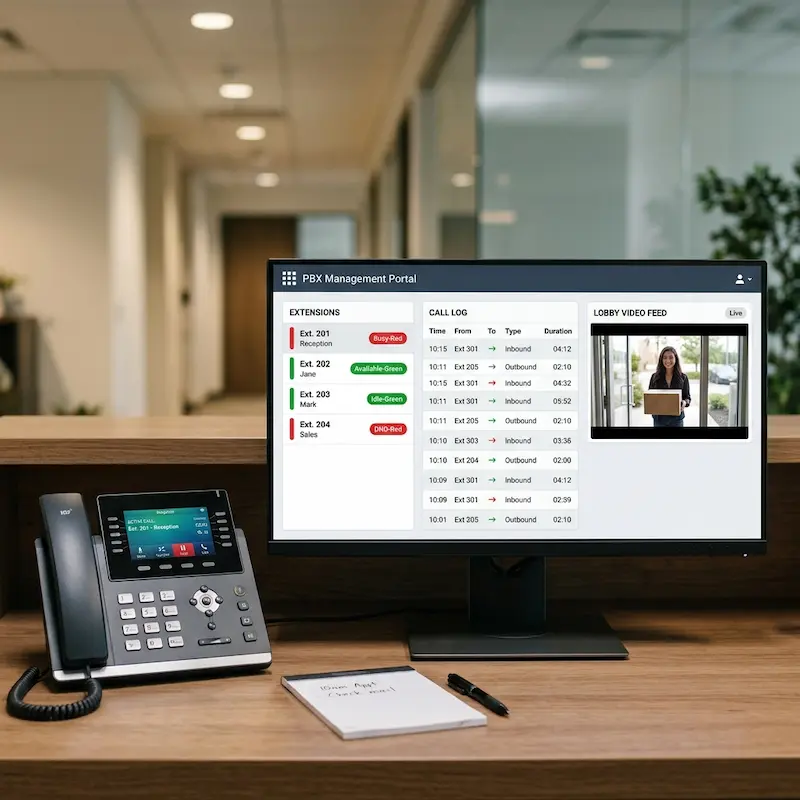
Yes. Akuvox door stations register as SIP extensions on the Yeastar PBX; a visitor pressing the intercom at the lobby rings the reception handset and the manager's Linkus app simultaneously. The receptionist can see the visitor on the intercom camera, speak to them, and release the door from the same desk phone used for external calls. One system, one call log, one point of management.
No; your existing number is ported to the new SIP trunk and continues working as before. Customers call the same number, reach the same extensions, and the business continuity is maintained throughout the cutover. The only scenario where a number might change is if the number is on an infrastructure type that cannot be ported, which we confirm during the initial assessment before any work begins.
In-depth guides written from field experience; how these systems work, how to specify them correctly, and what to ask before buying.
Office Telephone Guide → Network & Wi-Fi Guide →Actual installations across Singapore; the decisions made, the systems specified, and the results delivered.
Commercial Projects →Practical articles on real operational challenges, when to upgrade, what the field actually looks like, and how to brief a contractor.
IP Telephony & Network Articles →Tell us what you are running and how many extensions you need. We will assess your network, design the migration, and manage number porting; so the cutover is planned, not an emergency.
Police Licence · Serving Singapore Since 2006